




When Google first announced Gemini integration inside Google Maps, I honestly thought it was just another AI feature companies add because every app now needs “AI.” I expected a chatbot inside Maps and nothing more.
But after actually using it for a few days, I realized this integration changes the experience far more than I expected. Google Maps no longer feels like a tool that only shows routes and locations. It feels like something that can actually help make decisions for you. From planning outings to answering specific questions about places, the app now feels more conversational, contextual, and genuinely useful.
I can literally ask maps anything
It can plan my whole picnic day
Before using Gemini inside Google Maps, I used Maps the old way: search for places, open reviews, check ratings, compare photos, calculate distances, and then finally decide where to go. It worked, but it always felt like I was doing all the thinking myself. Google Maps was giving me information, not actual help.
The Gemini integration changes that completely. What surprised me most is how naturally I could talk to Maps. I stopped typing robotic searches like “cafés near me” or “best restaurants in Ahmedabad” and started asking real questions the way I’d ask a friend. Things like, “Suggest a quiet café with good coffee and less crowd,” or “Find a place where I can work for two hours with good Wi-Fi.” The answers felt far more useful because they understood the context behind what I actually wanted.
Then I tried something bigger: “My friend is visiting me this Saturday, plan a full day for us in Ahmedabad.”
That’s when the experience really clicked for me. Instead of just showing random locations, Maps started acting more like a local guide. It could suggest breakfast spots, nearby attractions, lunch places, evening hangout ideas, and even organize everything based on travel time and route efficiency. I didn’t have to constantly switch between tabs, save places manually, or figure out the order myself.
For the first time, Google Maps felt less like a navigation app and more like a real decision-making assistant. It understands intent now, not just keywords.
Related
4 ways I stopped fighting Android Auto and started customizing it instead
Small changes that add up to make a noticeable impact
It can optimize a multi stop route
Planning multiple stops no longer feels like a puzzle
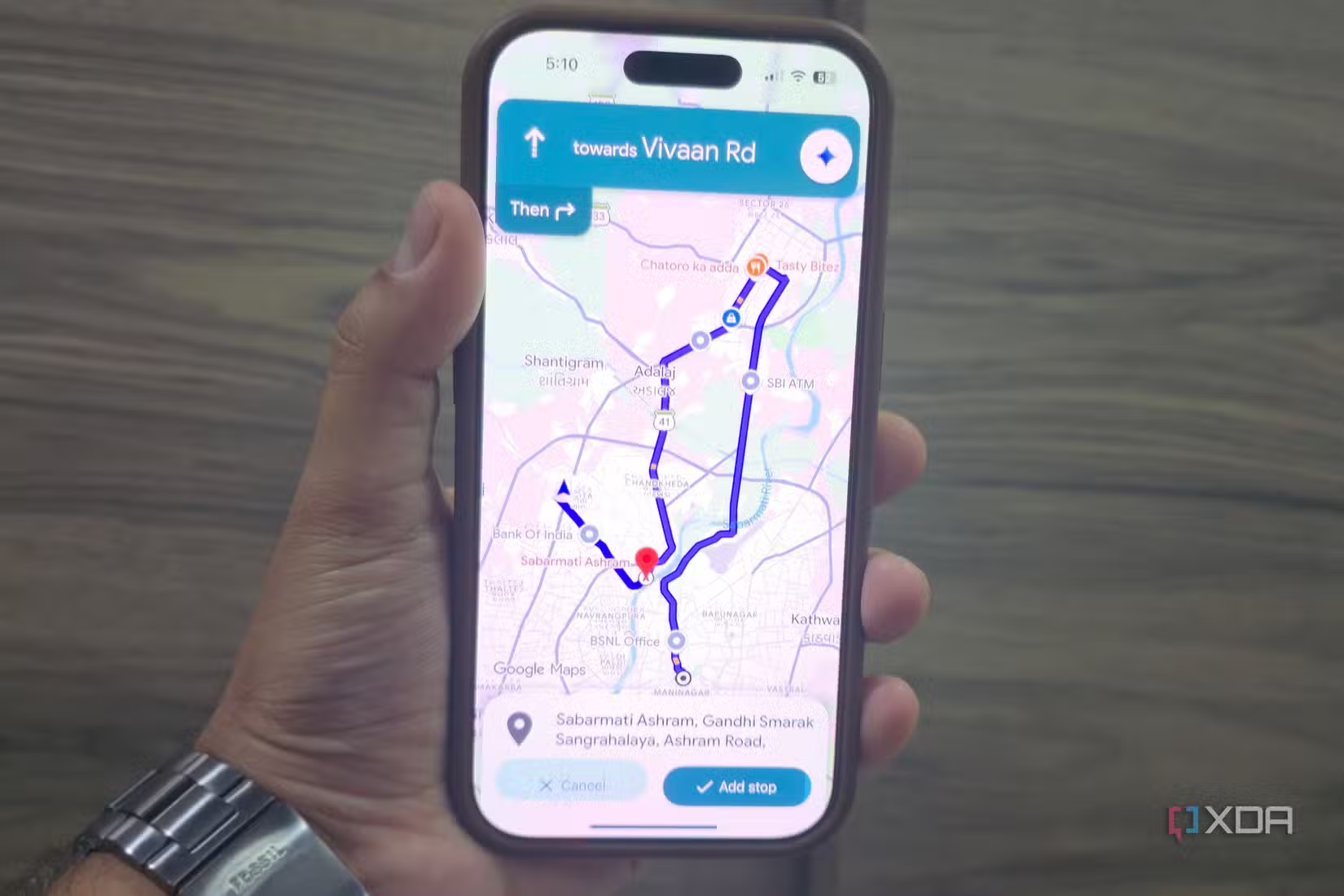
One of the most practical things I noticed with Gemini inside Google Maps is how good it is at handling multi-stop planning. Earlier, planning a day with multiple places was honestly annoying. I had to manually search locations, save them, rearrange stops, estimate travel time, and constantly wonder if I was wasting time driving back and forth.
Now I can describe the entire plan in one sentence. I tried something like, “I want breakfast, a bookstore, a gaming café, and a good dinner place; optimize the route for me.” And Maps actually understood the assignment. Instead of just listing random places, it organized the route in a way that made sense geographically and time-wise.
The app is no longer acting as a passive navigation tool waiting for commands. It feels more like an assistant helping me reduce friction while planning my day. I spend less time thinking about logistics and more time actually enjoying the outing.
It sounds small on paper, but once you use it, the experience feels surprisingly futuristic.
The „Ask About This Place“ says goodbye to legacy Q&A
Gemini turns scattered reviews into direct helpful answers
One feature that genuinely changed how I use Google Maps is “Ask About This Place.” At first, I assumed it was just another AI chatbot layer on top of reviews. But after trying it a few times, I realized it quietly solves one of the biggest problems with Google Maps: information overload.
Earlier, if I wanted to know something specific about a place, I had to dig through hundreds of reviews and photos myself. For example, if I wanted to know whether a café was actually quiet enough to work from, or whether a restaurant was good for family dinners, I had to scroll endlessly, hoping someone mentioned it in a review from two years ago.
Now I can just ask directly. I tried questions like, “Is this place good for long work sessions?” “Does it usually get crowded in the evening?” or “Is the seating comfortable for groups?” And instead of forcing me to manually search for reviews, Maps gives me a summarized answer instantly using information already available on the platform.
That completely changes the experience. The old Google Maps experience was built around users manually filtering information. This new experience feels more like extracting exactly what matters to me from thousands of scattered opinions.
And honestly, this is where the Gemini integration started making real sense to me. AI is not replacing reviews here; it’s making reviews usable. Instead of reading everything yourself, you simply ask Maps the question you actually care about and get a direct answer.

Related
The Android Auto feature nobody talks about that I use on every drive
Go beyond maps and music.
The map can now be the brain
Google Maps already knows places, traffic patterns, timings, reviews, routes, and how people move in the real world. Gemini adds a layer that can finally connect all of that information together in a useful way. That’s the real shift.
Instead of acting like a digital map waiting for input, Maps is starting to think alongside the user. It can understand preferences, reduce decision fatigue, and help turn messy plans into simple actions. And honestly, once you experience that, traditional search-based navigation already starts feeling outdated.
Ref: https://www.xda-developers.com/google-maps-stopped-being-just-a-map-the-moment-gemini-showed-up/