



While Android is an open-source platform, many people miss out on the open-source apps available for their smartphones due to the dominance of Google’s own offerings. But there are plenty of great options out there, including open-source to-do list apps, productivity apps, and even password managers.
I’ve spent the past year adopting as many open-source or self-hosted solutions as I can, mostly as a way to get more control over my data and escape service lock-in. As a result, these solutions have become some of my most essential apps.
Notesnook
A beginner-friendly, privacy-focused notes solution
While I use Jotty Page for many of my checklists and notes, I also wanted to create redundancy with a solution that I can access even when my self-hosted Jotty instance isn’t accessible. That’s when I found Notesnook, which surprised me with its excellent free features and its simple setup.
Many open-source offerings only offer syncing as part of a self-hosted or paid plan, but Notesnook provides end-to-end encrypted cross-platform syncing for free. Of course, there are limits to its free plan, including which features and customization you have access to. But I’ve found its free plan more than enough for my use.
With it, I can sync between unlimited devices, create checklists, and use the rich text editor to easily write and format notes. I can also attach files to my notes, so long as they’re under the file size for the free plan and I haven’t used up my monthly quota — an issue I haven’t run into yet.
Proton Pass
A useful password manager that has become more flexible
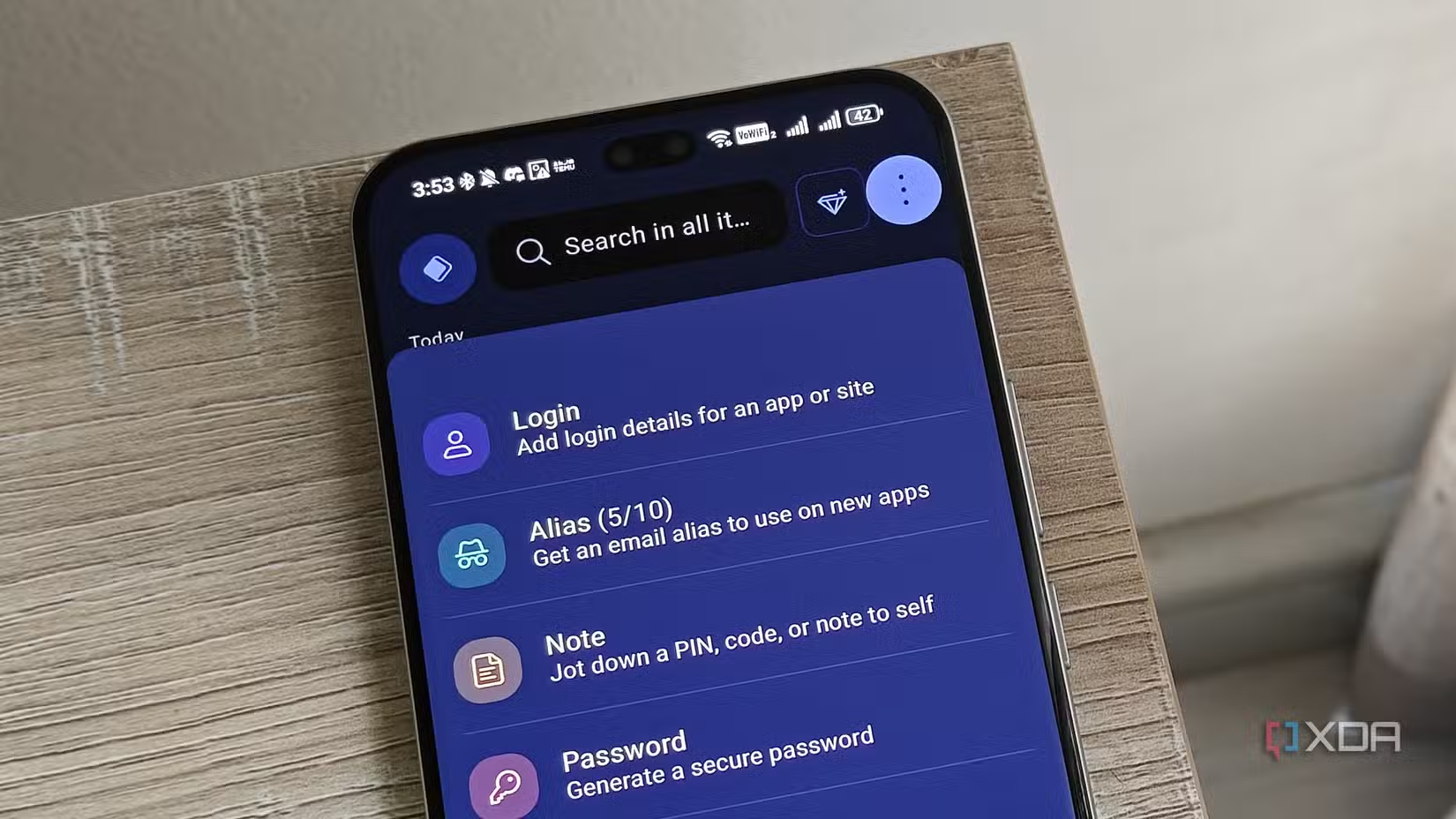
Proton Pass is a great open-source password manager from the company behind Proton Drive and other privacy-focused Google alternatives such as Proton Mail. While I put off switching to a standalone password manager for years, Proton Pass’s features convinced me to finally break away from Google Password Manager.
Besides password management and creation, it has a few other handy features. One of my favorites is the Proton Pass alias feature, which has saved me from spam. The free plan has certain limits, but has actually become more permissive over time — including adding the ability to now save cards in the app.
I pair the Android app with the Proton Pass extension in my browser to make managing passwords easy across my devices, regardless of which browser I’m using.
Individual pricing
$4.99/month
Key highlights
hide-my-email aliases, open-source
Platforms
Windows, Linux, macOS, iOS, Android, Chrome, Safari, Firefox
Proton is a password manager from the highly popular Proton Team, who else develops Proton Mail and Proton VPN.
Brave
The browser that got me to ditch Chrome
Some people think it’s ironic that I switched to another Chromium browser when ditching Chrome. But it’s what made the transition that much easier. Chrome’s mobile app was the first version of the browser I managed to part with. I needed an app with the ability to force dark mode, and I was tired of being inundated with ads on mobile sites.
After trying a few different browsers, I settled on Brave thanks to its privacy-focused approach. However, it also included the features I needed, such as forced dark mode. There are a few other features I enjoy, such as the ability to tailor my AI preferences, as well as the reading list feature. It also helped me switch away from Google Search as my primary search engine, replacing it with Brave Search instead.
Related
I use these open-source apps to make my life complete
My open-source toolkit
Since switching my browser, I’ve noticed far fewer targeted ads when I do use services like Facebook and YouTube. And when a new targeted ad shows up, I can usually trace it directly to a particular Google Search I performed — rather than the pervasive tracking that seemed to follow me everywhere when I was using Chrome.
OS
Android, iOS, Linux, macOS, Windows
What’s included?
VPN, Built-in AL Assistant
The Brave browser is made for the more privacy-conscious users, with a built-in VPN and ad blocker. It’s also light on resources, making it great for use while gaming and multitasking.
Super Productivity
Open-source task management
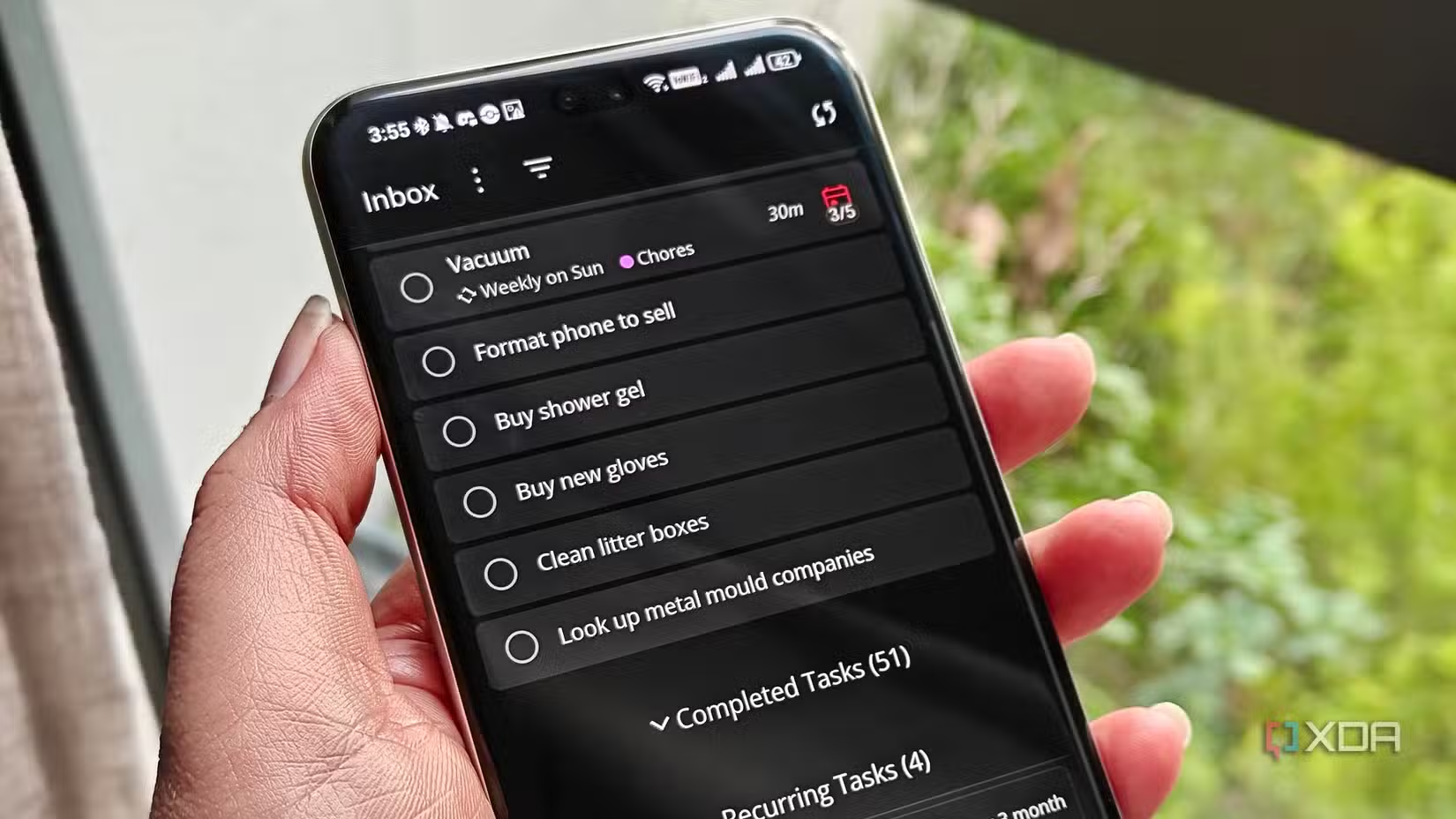
When it comes to open-source task management apps, Super Productivity is one of my favorites for a number of reasons. First, I can dump tasks into its inbox easily when my mind feels cluttered without having to set a due date. Because the app lets me set my default homepage, I can do this even when I’m extremely tired.
I can also sort tasks with tags and schedule them using a planner view. I also like that I can set tasks to repeat at a certain interval. When it comes to cross-platform syncing, I could easily set this up with Dropbox — meaning that Super Productivity is also simple to maintain.
Donetick
Self-hosted chore management
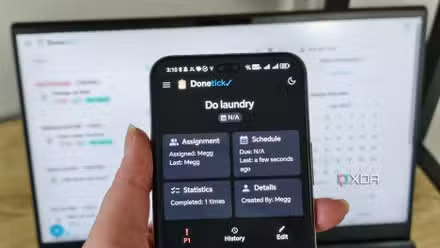
Donetick offers a hosted option, but I use the task management app with a self-hosted server to keep an eye on my chores. I’ve found that keeping my chores and other to-do items separate helps me manage them better, since too many notifications and delayed tasks can become overwhelming.
Donetick has a few features that help me get things done. The app doesn’t only show me my overdue tasks, but also ones that are coming up in the next few weeks. This helps me prepare. For example, I know to buy more cat litter when I see the task to clean the litter boxes is due soon.
Related
I self-hosted this tasks software to help me with my chores
I’m finally keeping up with the chores I often forget
I can also complete tasks in the past, which is handy considering I often forget to complete tasks in apps after I’ve finished them. This works well with automated task scheduling, since the next iteration of the task will schedule itself based on the actual completion date and not the date I simply remembered to mark it as done in the app.
Raindrop.io
More than a desktop bookmark manager
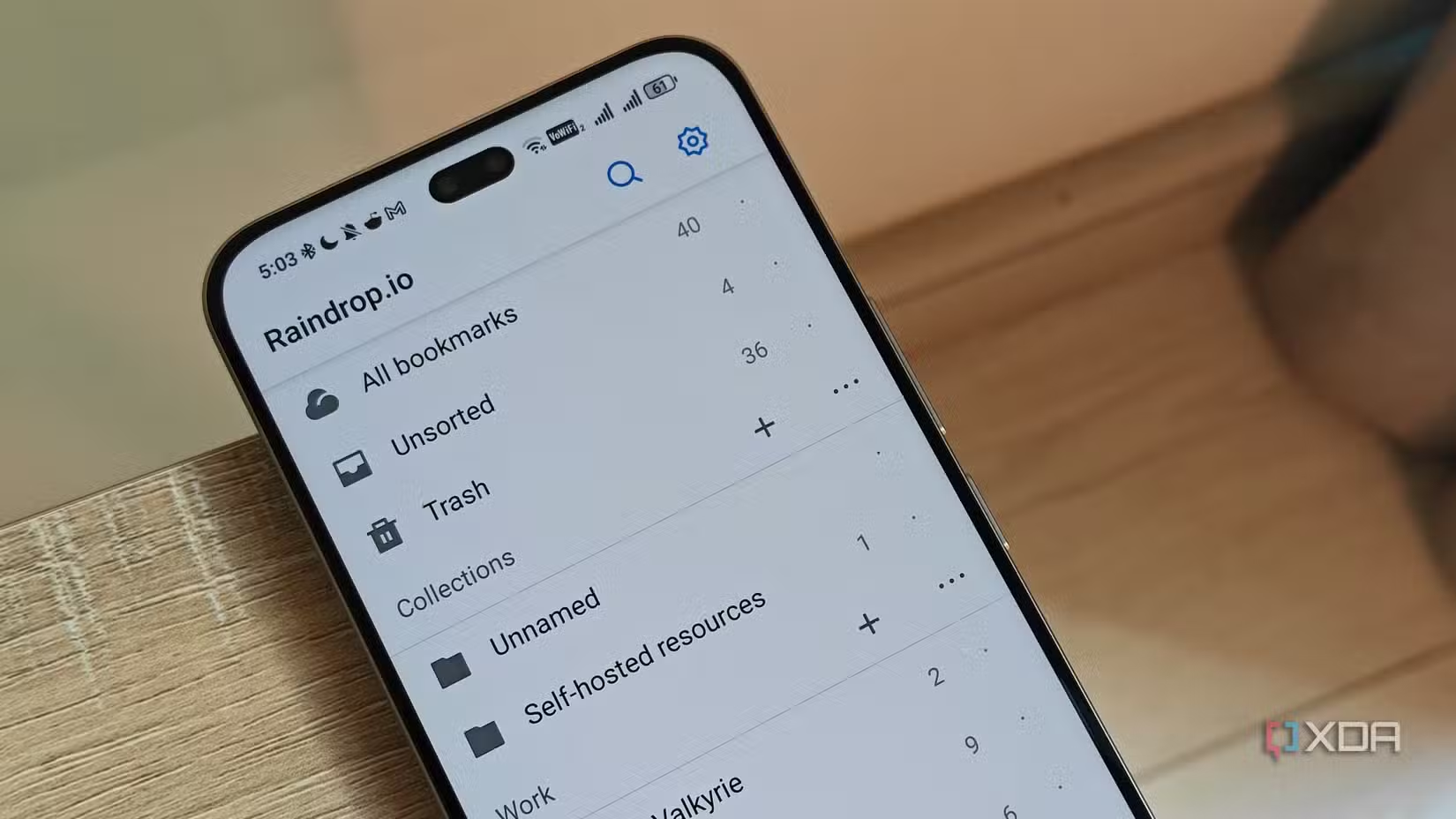
I initially set up Raindrop.io as a way to manage my cluttered bookmarks on my PC’s browser. But I eventually installed its Android app on my phone as well, since it proved to be so helpful.
Because I like Raindrop’s approach to bookmark organization, I’ve found it helpful for sorting bookmarks without having to worry about syncing across multiple devices and browsers. Raindrop acts as a central hub where I can organize these important links.
I don’t use it every single day, but whenever I need to access a link that I can’t easily remember or that I don’t have saved on a device’s browser, I’m so glad I can simply use Raindrop to get it.
LocalSend
Cross-platform sharing without relying on the cloud
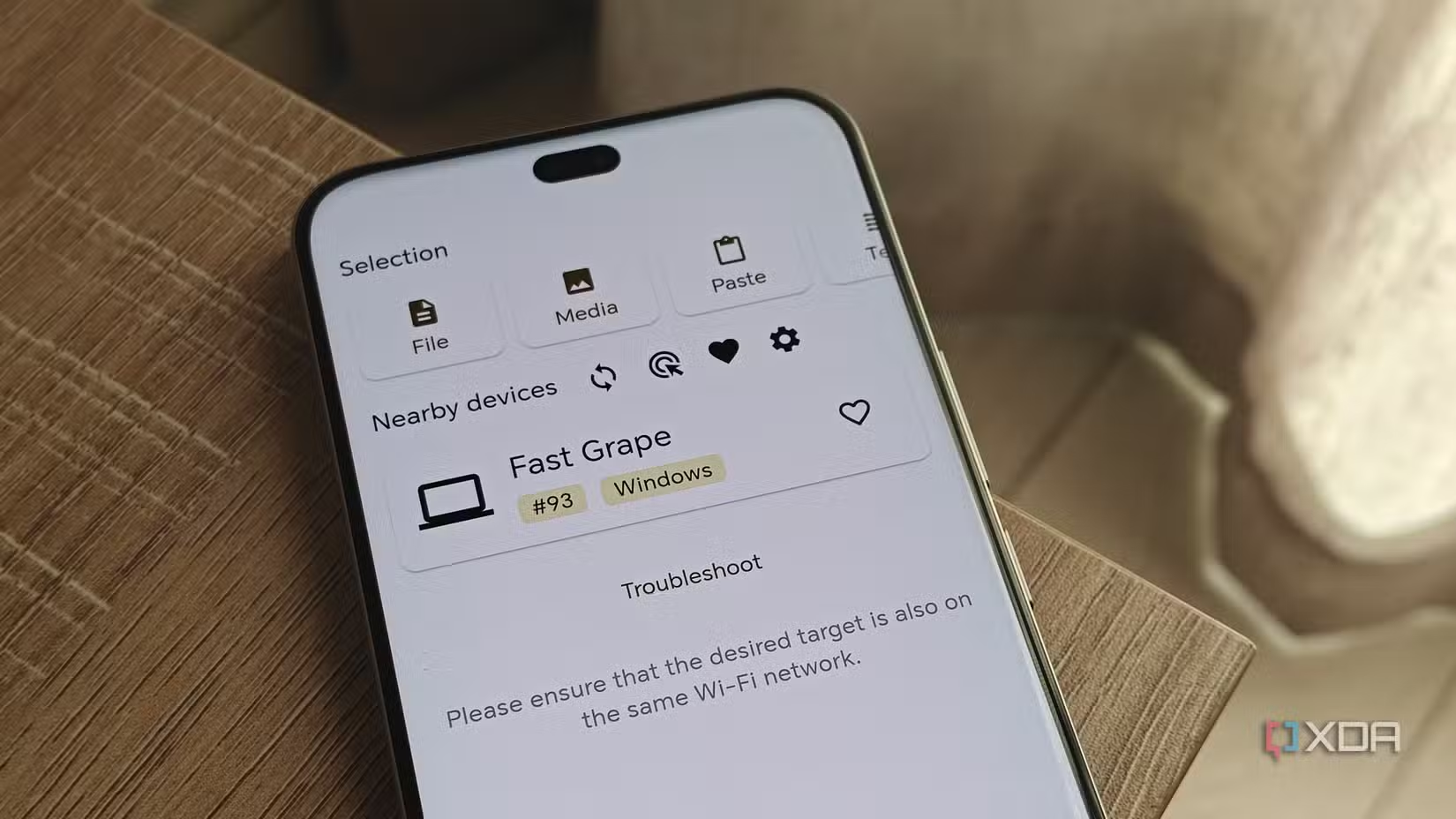
LocalSend is an open-source AirDrop and Quick Share alternative that works across all major platforms. While I don’t really share much between Apple and Android devices, I like the convenience the app provides when sharing between my smartphones, PC, and laptop.
But its cross-platform functionality and privacy-focused approach aren’t the only selling points. It has a few unique features that mean I prefer it over native sharing solutions. It allows me to easily share APKs between my smartphones, which is helpful for my side-loaded apps.
I can also share text snippets and links easily just by copying and pasting them in LocalSend. This works better than sending myself a message on WhatsApp, since I find that the website loads slowly on my PC nowadays.
Open-source apps provide exceptional functionality
Choosing open-source apps doesn’t mean settling for less. In fact, I use these apps over proprietary solutions from major Big Tech competitors and often find that I enjoy the experience more. For example, I don’t miss Google Keep at all since moving to open-source solutions instead.
I have found plenty of open-source apps that offer a great experience without the vendor lock-in or privacy trade-offs of competitors, but I want to continue my journey of adopting more open solutions wherever possible.
Ref: https://www.xda-developers.com/open-source-android-apps/